Plate 03 — Commercial Data Integration · Independent MVP · 2026
Turning fragmented commercial data into one usable view.
I designed and built a working data-integration MVP that combines simulated CRM, e-commerce and chatbot activity into a unified customer database and live commercial dashboard.

- Role
- Product & developer
- Type
- Independent MVP
- Sources
- CRM · Shop · Chatbot
- Database
- PostgreSQL · Supabase
- Backend
- Node.js
- Status
- Live demo
01 — Problem
The data existed. The useful view did not.
Commercial information often lives in separate systems. Customer details may sit in a CRM, purchases in an e-commerce platform, and new leads in a chatbot.
Each system can work correctly on its own while still leaving the business without a clear answer to simple questions: Who is this customer? What have they bought? Are they already a lead? What is happening to revenue and pipeline?
I wanted to explore how a lightweight MVP could connect these sources without attempting to replace the systems themselves.
3
Data sources
1
Unified database
8
Dashboard metrics
3
Interactive actions
02 — Architecture
Different systems. One integration layer.
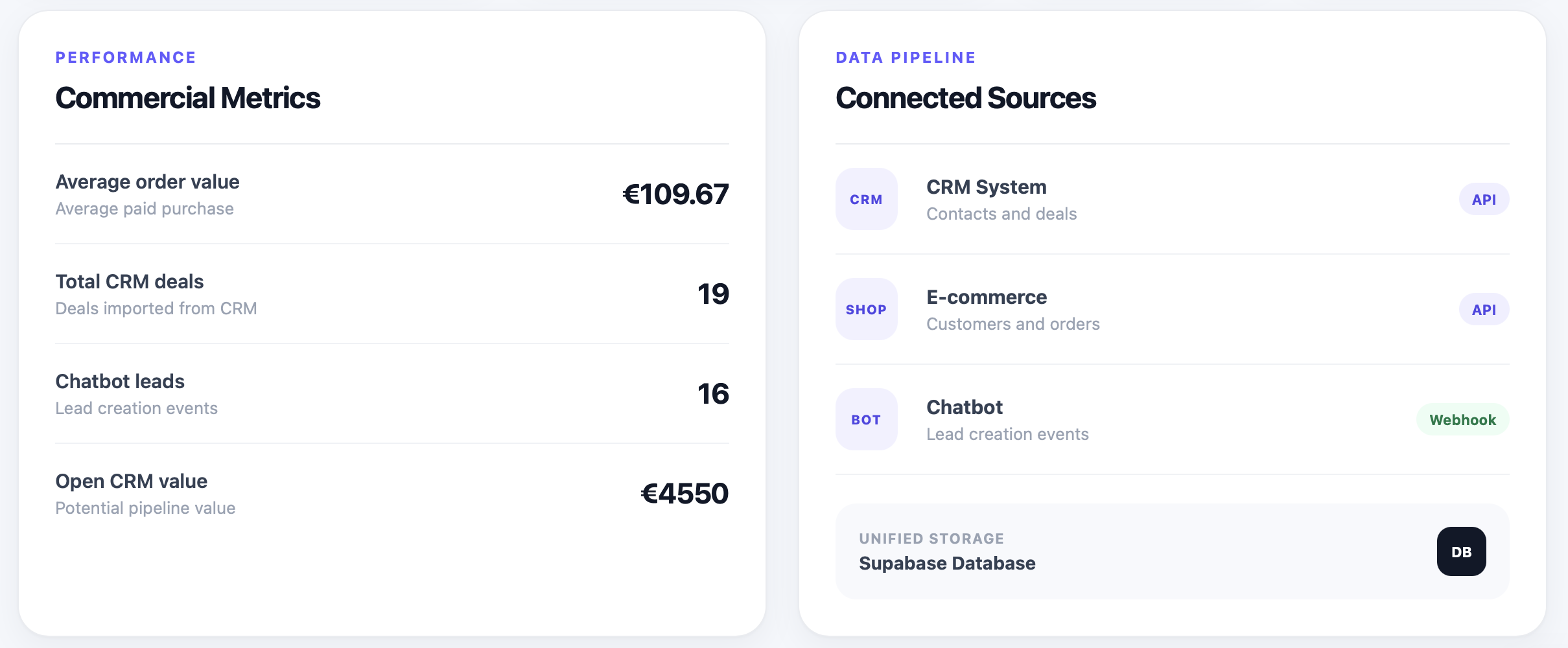
CRM
API · PollingContacts and deals are pulled from a simulated CRM API.
E-commerce
API · PollingCustomers and paid orders are imported from a simulated shop.
Chatbot
WebhookLead creation events are pushed into the integration layer.
Unified storage
PostgreSQLSupabase stores customers, deals, orders and chatbot events in related tables.
Data flow
CRM + e-commerce + chatbot → integration layer → unified customer records → PostgreSQL → dashboard API → live dashboard.
03 — Integration decisions
One person can have three different IDs.
The CRM and e-commerce system do not share customer IDs. A person might be crm_001 in one source and shop_101 in another.
For the MVP, I normalised email addresses and used them as the matching key. Once a customer is resolved, their orders, deals and chatbot events reference one internal customer record.
04 — Data integrity
The interesting bug was not visual. It was duplication.
During polling tests, an order was imported more than once. Application-level duplicate checking was not enough to guarantee data integrity.
I fixed the issue at the database level by adding unique constraints to external identifiers such as order IDs, CRM deal IDs, chatbot conversation IDs and customer emails.
That changed the architecture from “the importer should avoid duplicates” to “the system cannot store the same source record twice.”
Unique constraint
customers.email
Unique constraint
orders.shop_order_id
Unique constraint
deals.crm_deal_id
Unique constraint
chatbot_events.conversation_id
05 — Interactive MVP
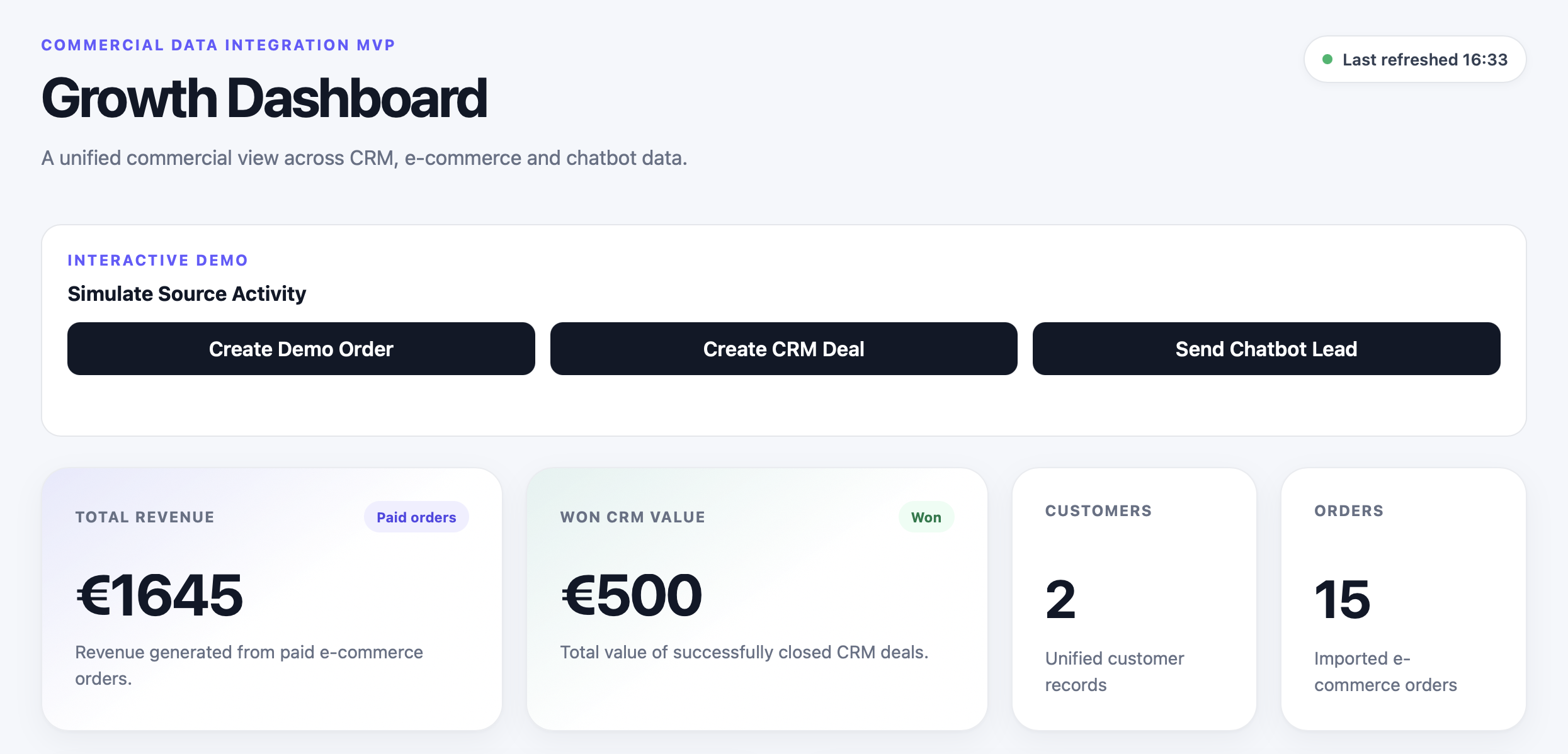
Don't just look at it. Change the data.
01
Create Demo Order
Creates a €99 paid order and immediately recalculates order count, revenue and average order value.
02
Create CRM Deal
Creates a new €250 open deal and updates the CRM pipeline metrics.
03
Send Chatbot Lead
Creates a new lead event and updates the chatbot lead count.
06 — Reflection
What this taught me about systems thinking.
01
A dashboard is only as trustworthy as the data behind it.
02
Identity resolution is a product problem as much as a database problem.
03
Push and pull integrations solve different kinds of source behaviour.
04
Data integrity should not depend only on application logic.
05
A small interactive demo communicates architecture better than a static diagram.
06
Reliable data should come before adding an AI layer.